Does this investment still make sense in my portfolio?
You start with the question, not the chart.
For people investing months or years ahead: write what you want to do and why, and APEX checks it against context, your portfolio and your own history.
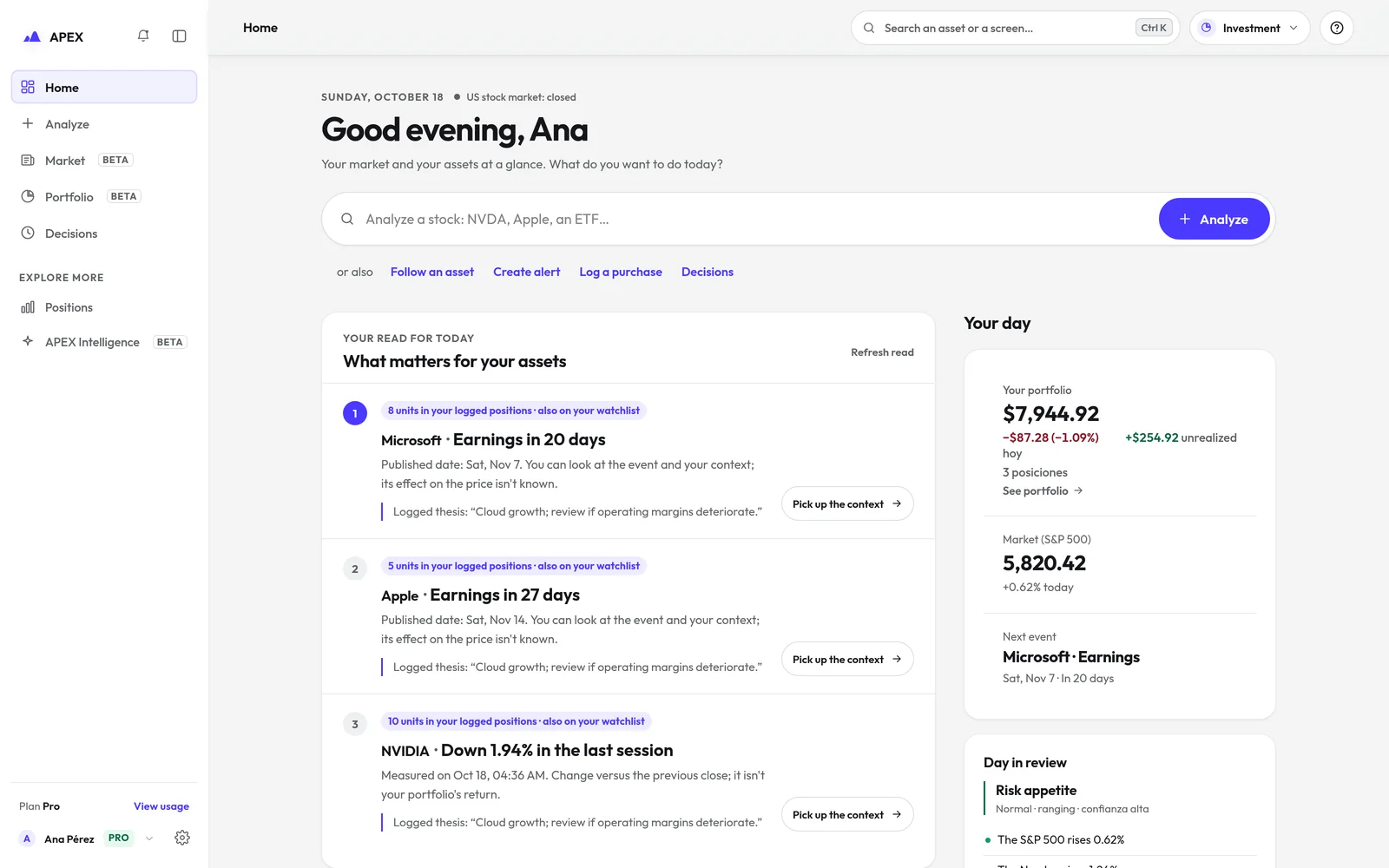 REAL CAPTURE · SAMPLE DATA
Thesis, positions, portfolio and calendar, connected.
The same APEX engine, organised the way an investor decides. The mode neither locks nor unlocks features.
The thesis is an object, not a note
It is saved with its declared horizon (weeks, months or over a year), visible and editable. When you return to the asset, you see what you decided and why.
 MSFTThesis · over a yearILLUSTRATIVE · SAMPLE DATA
Moves and reasons, together
Positions brings together your thesis and the purchases and sales you record, with their date, quantity, price and fees. The thesis stays linked to the investment.
How recording works ↗PositionsMSFTILLUSTRATIVE · SAMPLE DATAYour portfolio, measured
You log buys and sells by hand or import your broker’s export file. APEX measures value, result and return. A broker connection, where available, is optional and read-only.
DECLARED GAP
APEX does not manage portfolios: no custody, no order execution, no rebalancing.
What is coming up in your assets
Earnings and dividend dates for the assets you follow or hold, and a curated list of official macro events.
DECLARED GAP
The screen itself declares its limits.
Five steps. One is always yours.
- 01UnderstandThe asset’s context, with time.
- 02AnalyseThe specific decision, not the asset in the abstract.
- 03DecideYou. APEX returns counter-evidence, not orders.
- 04RecordThesis, risk and target before executing.
- 05LearnOn closing, decision and result separately.
Follow the journey
Bring the next company you are thinking of buying.
Write your thesis. APEX will tell you what it rests on, what would invalidate it and how it fits your portfolio.