How do I know if that thesis worked?
No recorded result, nothing to learn.
The step that closes the loop. You record the position or trade with its thesis —by hand or by importing your broker file— and, on closing, APEX diagnoses the process, not the gain or loss.
 Trade TrackerRecord · closeILLUSTRATIVE · SAMPLE DATA
The full loop, in one record.
In Investment Mode it is called Positions; in Trader Mode, Trade Tracker. It is the same record.
- 01Decision
- 02Trade
- 03Monitoring
- 04Result
- 05Process diagnosis
- 06Learning
Every analysis, with its thesis and what happened next.
Real “My decisions” screen with sample data.
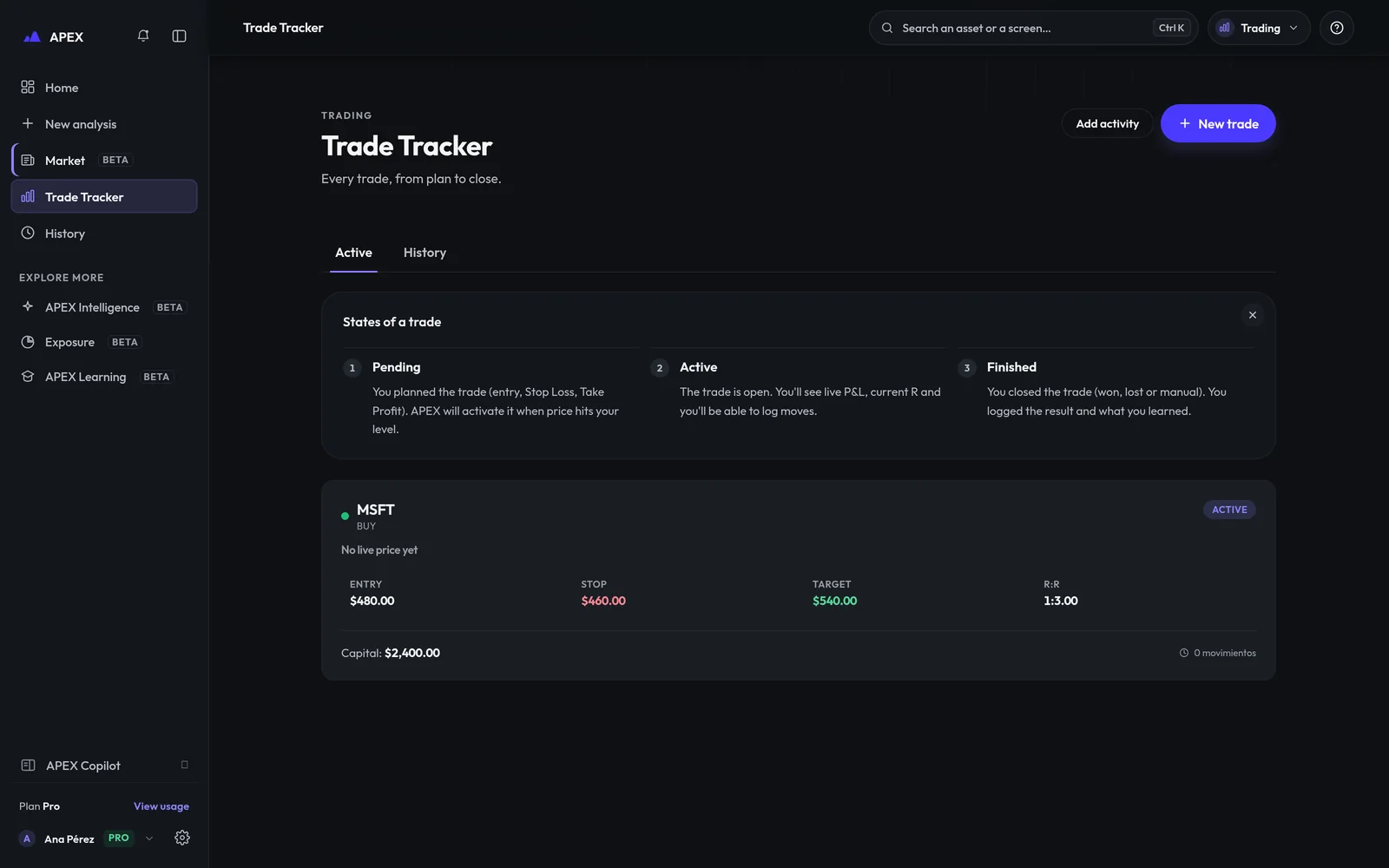 REAL CAPTURE · SAMPLE DATA
The result is not the lesson
Process failures are detected without looking at the result. A winning trade can get “weak process, favourable result”; a loss with a clean process is attributed to the market, with the reason stated.
The price, and where it comes from
A server-side cascade of providers by asset type; your browser never contacts a price provider. If all fail, you see the last valid price marked as not fresh.
What changes with your plan.
DECLARED GAP
The quality score uses risk, R:R, stop, alignment and your declared state; it doesn’t use the process diagnosis. It was kept this way so your history stays comparable.
| LIMIT | Free | Pro | Max |
|---|---|---|---|
| Active trades at once | 1 | 3 | Unlimited |
| History kept | 8 | 30 | Unlimited |
Follow the journey
Record the next one and close the loop.
Risk and R:R with one implementation: the web, Copilot and the engine show the same numbers.